
Best POS Software: Zoho POS और Odoo का demo कैसे compare करें?
Information TechnologyRetail POS software shortlist में billing, returns, hardware, offline limits और data export जाँचें। Zoho POS तथा Odoo को demo examples बनाकर guide पढ़ें।
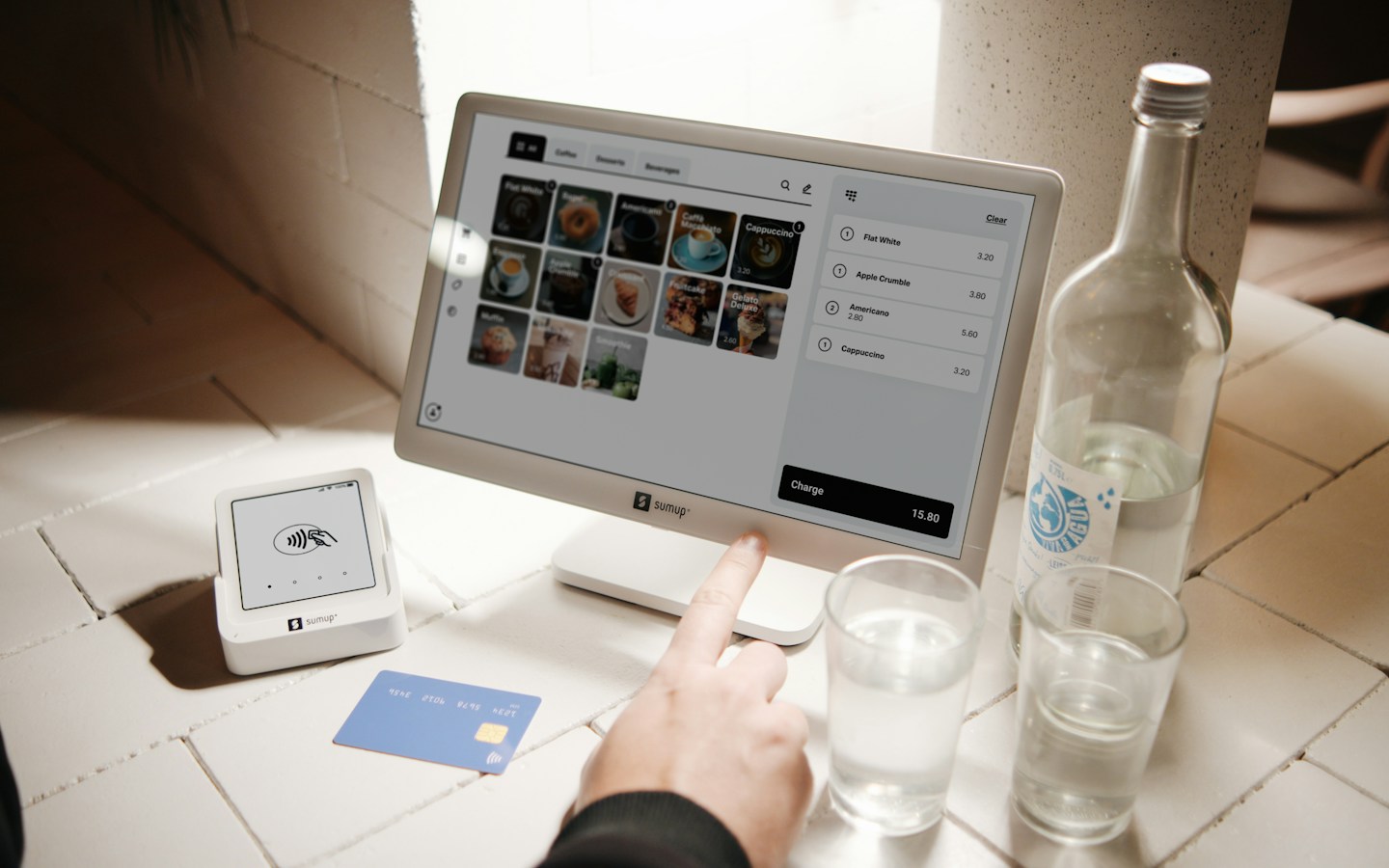
Archive POS photograph by SumUp; यह Zoho POS या Odoo की interface screenshot नहीं है. Photo: SumUp / Unsplash
On this page
Counter पर billing तेज होनी चाहिए, लेकिन गलत item return करना या दिन के अंत में totals मिलाना भी उतना ही जरूरी है। POS खरीदते समय केवल clean interface देखकर subscription लेना बाद में मुश्किल हो सकता है। अपने actual transactions से demo चलवाएं।
यह vendor shortlist और evaluation guide है। Products को personally deployed या benchmark-tested नहीं बताया गया है। Plans, India availability और integrations current quotation से confirm करें।
दो options से शुरुआत
Zoho POS sales, inventory और vendor-related workflows का वर्णन करता है। Odoo POS documentation daily point-of-sale operations समझाती है। Feature का marketing-page mention आपके selected plan में हर integration included होने की guarantee नहीं।
Retail और restaurant needs अलग हो सकती हैं। अपने business के लिए relevant version, deployment और support arrangement पूछें।
Demo के पांच transactions
एक normal sale, discounted sale, partial return, payment correction और end-of-day reconciliation चलवाएं। यह proposed test sequence है, दोनों vendors में same workflow होने का दावा नहीं। Staff permissions भी उसी session में देखें।
Barcode scanner, printer और drawer जैसी existing hardware की exact compatibility पूछें। “USB device है तो चल जाएगा” जैसी सामान्य assurance पर निर्णय न लें।
Offline का अर्थ स्पष्ट करें
Internet unavailable होने पर कौन-सी actions चलेंगी, किन्हें connection चाहिए और बाद में sync कैसे verify होगा? Opening/closing, stock refresh और digital payments को अलग पूछें। Payment provider की availability software की local operation से अलग हो सकती है।
अपने relevant scenario का vendor-guided safe demo लें। किसी cached screen को पूर्ण business continuity का प्रमाण न मानें।
Data और cost
Products, customers, invoices और reports का export sample लें। User limits, outlets, integrations, onboarding और support की total cost पूछें। Tax configuration का review अपने accounting professional से करें; software चुनना अपने आप compliance guarantee नहीं है।
Migration के लिए opening stock और outstanding records किससे approve होंगे, तय करें। Exit करना पड़े तो usable data कैसे मिलेगा, contract में समझें।
Frequently Asked Questions
कौन-सा POS सभी दुकानों के लिए best है?
ऐसा universal verdict नहीं। अपने transactions और hardware से test करें।
क्या offline mode में हर payment चलेगी?
Software और payment-provider conditions अलग जाँचें।
Demo में क्या मांगें?
अपनी sale, return और reconciliation की end-to-end प्रक्रिया दिखवाएं।
Article at a glance
- Written by
- Aarav Sharma
- Published
- 04 Nov 2026
- Reading time
- 3 minutes
- Topic
- Information Technology
Read More Blogs
Best Laptop: processor name से पहले workload, ports और upgrade देखें
Laptop खरीदने के लिए exact configuration, real portability, software compatibility और service support जाँचें। Student, office और creative use का practical guide।
Best Desktop Configuration: office और creative काम के लिए build कैसे तय करें?
Desktop configuration में CPU name से आगे RAM, SSD, graphics, compatibility और support देखें। Office तथा creative workloads के लिए illustrative starting points।
Best Purchase Management Software: RFQ से receiving तक क्या test करें?
Purchase software में vendor quote, approvals, partial deliveries और order changes कैसे जाँचें? Odoo और Zoho documentation के साथ practical buying checklist।
Be the first to share your thoughts.
Comments 0