
Website Live होने के बाद क्या करें? Business owners की Post-Launch Checklist
Website Designनई website खुल रही है, लेकिन क्या enquiry भी पहुँच रही है? Forms, mobile pages, indexing, backups और ownership की post-launch checklist से पूरा handover लें।

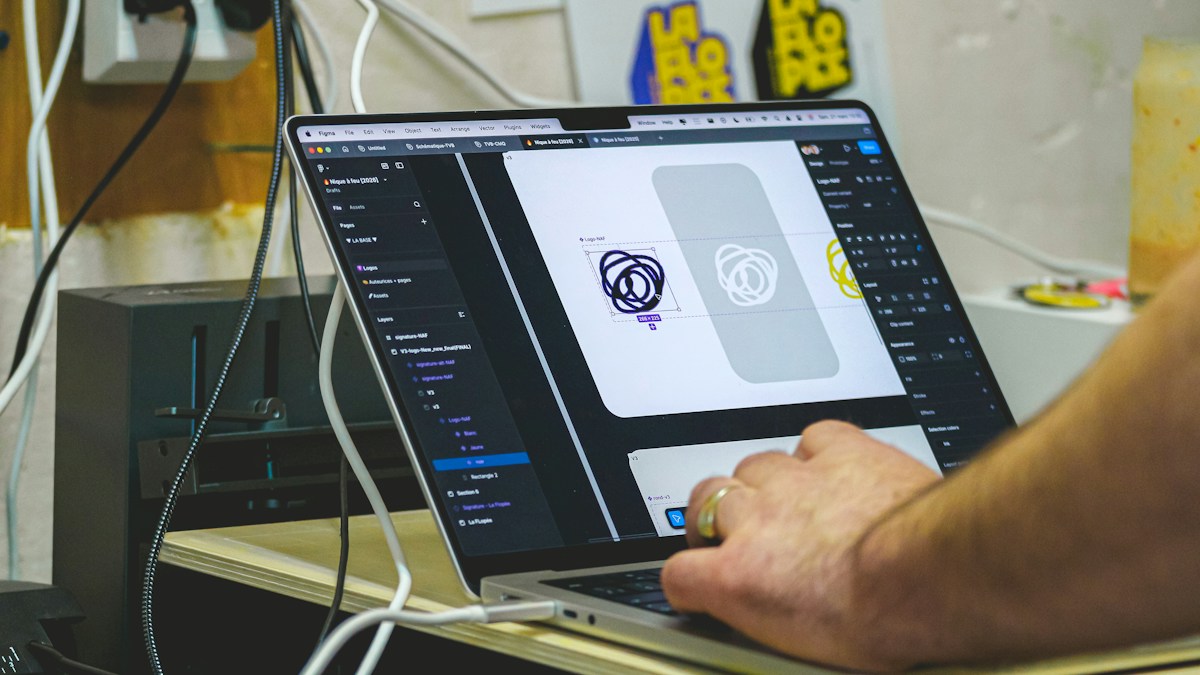
Website launch के बाद review checklist के संदर्भ में representative photograph। Photo: Jakub Żerdzicki / Unsplash
On this page
Website का link WhatsApp पर भेज दिया और homepage सही खुल गया। इससे launch का एक हिस्सा पूरा होता है, पूरा handover नहीं। असली परीक्षा तब है जब कोई customer phone से enquiry भेजे, पुराना customer address खोजे या staff को product detail बदलनी पड़े। ये छोटे काम launch के उत्साह में अक्सर छूट जाते हैं।
Customer की तरह पहली enquiry भेजें
Owner के login वाले browser की जगह दूसरे phone से website खोलिए। सबसे जरूरी service चुनें और contact करने का पूरा रास्ता तय करें। Form submit करने के बाद success message के साथ inbox में enquiry पहुँची या नहीं, दोनों देखें।
गलत email format, खाली required field और बहुत लंबा message डालकर form का व्यवहार भी जाँचें। Test message को enquiry register में साफ test लिखें, ताकि sales team उसे असली lead न गिने। Call button सही number मिलाता है और WhatsApp link सही account खोलता है या नहीं, यह भी उसी समय देख लें।
Mobile पर सिर्फ homepage न देखें
किसी service page, blog, category और contact page को खोलें। Menu बंद होने पर content ढक तो नहीं रहा? Phone number copy हो सकता है? Cover photo इतनी बड़ी तो नहीं कि customer को मुख्य जानकारी बहुत नीचे मिले? इन सवालों को screenshot और page URL के साथ designer को दें।
अगर online store है तो अलग-अलग delivery pin codes और unavailable product की स्थिति भी जाँचें। Test payment केवल payment provider की approved testing प्रक्रिया से करें। Live charge करना पड़े तो पहले team की अनुमति, refund प्रक्रिया और record तय रखें।
Google को website मिलने की जाँच
Search visibility तुरंत पूरी हो जाने वाला launch switch नहीं है। Google की ecommerce launch guidance ownership verification, जरूरी URLs के लिए indexing tools, sitemap और indexing progress देखने की सलाह देती है। Online store हो तो product availability भी वास्तविक होनी चाहिए।
Agency से Search Console access और sitemap का सही URL लें। Indexing report में exclusion दिखे तो पहले कारण समझें। हर excluded URL को force करने की जरूरत नहीं; filters और duplicate URLs की स्थिति अलग हो सकती है।
Handover में files से ज्यादा जिम्मेदारी लें
- Domain और hosting किस business account में हैं?
- Renewal की तारीख और payment की जिम्मेदारी किसकी है?
- Backup कहाँ रखा है और restore कौन कर सकता है?
- Staff का access अलग है या सभी एक ही password इस्तेमाल कर रहे हैं?
- Maintenance में क्या शामिल है और emergency contact कौन है?
सिर्फ backup बन रहा है, यह सुनना काफी नहीं। Developer से restoration की verified प्रक्रिया और सुरक्षित copy का record माँगें। Password किसी public document या group chat में न रखें। Handover के बाद पुराने temporary accounts की जरूरत दोबारा जाँचें।
पहले महीने की review sheet
Issues को तीन हिस्सों में रखें: customer का काम रुक रहा है, जानकारी गलत है और design improvement चाहिए। Payment या enquiry failure को पहले ठीक करें। हर issue के सामने responsible person और completion date लिखें। एक महीने बाद देखें कि customer questions से कौन-सी नई जानकारी website में जोड़नी है।
Frequently Asked Questions
Website live है तो maintenance क्यों चाहिए?
Contact details, software, content और integrations बदल सकते हैं। जिम्मेदारी तय रखने से website धीरे-धीरे पुरानी या खराब होने से बचती है।
क्या launch के दिन सारे pages Google में आने चाहिए?
नहीं। Access, sitemap और indexing status जाँचें; launch date को indexing guarantee न समझें।
सबसे पहले किस issue पर काम करें?
जिससे customer enquiry, purchase या जरूरी जानकारी तक नहीं पहुँच पा रहा, उस issue को प्राथमिकता दें।
Article at a glance
- Written by
- Neha Verma
- Published
- 26 Oct 2026
- Reading time
- 4 minutes
- Topic
- Website Design
Read More Blogs

Shared Hosting पर पहली Business Website: Plan लेने से पहले क्या पूछें?
सस्ती hosting का offer देखकर जल्दी payment न करें। Renewal, backups, support, domain ownership और migration की checklist से पहली business website की तैयारी करें।

Website Design की 8 गलतियाँ जो Customer Enquiry का रास्ता मुश्किल बनाती हैं
Website attractive है लेकिन customer को contact, price process या सही service नहीं मिलती? Mobile layout और enquiry journey की इन 8 गलतियों को पहले जाँचें।
Top 10 Website Design Companies in Delhi: enquiry वाली website का सही brief कैसे बनाएं?
Delhi की website-design companies की listings और उपलब्ध contact numbers देखें। Enquiry flow, content, project scope और handover की practical checklist से अपनी जरूरत के हिसाब से team चुनें।
Be the first to share your thoughts.
Comments 0