
Computer Stores in Delhi: काम और पढ़ाई के लिए PC या laptop कैसे चुनें?
Smart ShoppingDelhi की computer stores और contacts देखें। अपने software, portability, exact configuration, monitor और support की जरूरत के अनुसार PC की खरीदारी plan करें।
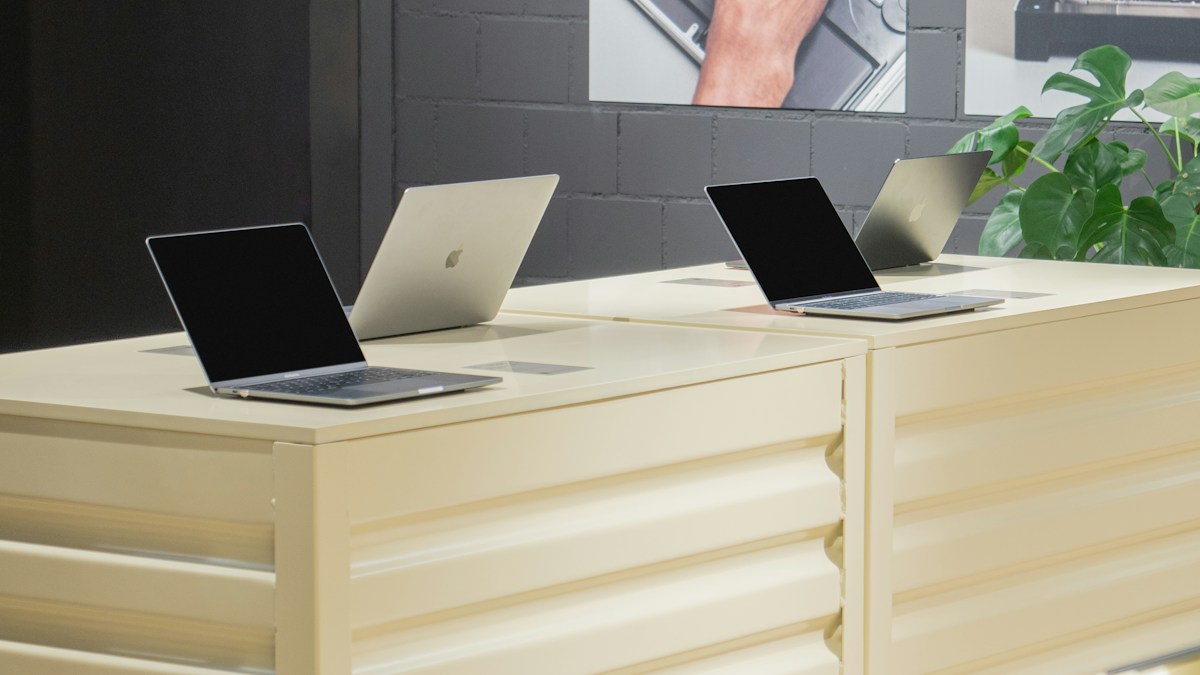
Representative computer-store photograph from Switzerland; not a photograph of a listed Delhi business. Photo: Revendo / Unsplash
On this page
Computer खरीदने से पहले सबसे काम की list अक्सर specifications की नहीं, आपके कामों की होती है। Online classes, spreadsheets, coding और video editing को एक ही जरूरत मानकर device चुनेंगे तो comparison उलझ सकता है। पहले उन applications के नाम लिखें जिन्हें सच में चलाना है।
Delhi की computer store से enquiry करते समय यह list साझा करें। Software की official system requirements भी देखें। किसी एक processor label या बड़े storage number से पूरे computer की suitability तय नहीं होती।
Delhi की computer stores और available contacts

Alex COMPUTER - Laptop Computer repair shop
Computer Store · Delhi
G 1, Vishwadeep Tower, Janakpuri District Center, Janakpuri, Delhi, 110058
Contact: 099998 51190

Vaish Technical Services
Computer Store · Delhi
309, Bajaj House, 97, Nehru Place, New Delhi, Delhi 110019
Contact: 098114 05795

Diamond Enterprise
Computer Store · Delhi
Mansarovar Building, 90 B-12 C, Nehru Place, New Delhi, Delhi 110019
Contact: 097172 23342

Hashtag Computers
Computer Store · Delhi
Shop No.2, Double Storey, B-13/11, opposite Metro Pillar No. 372, behind Park, Block B, Ramesh Nagar, New Delhi, Delhi,
Contact: 099105 74407

Cctv camera installation shop
Computer Store · Delhi
F5XQ+V6V, Sangam Apartment Rd, Chhatarpur Enclave Phase 2, Chattarpur Enclave, Chhatarpur, New Delhi, Delhi 110074

Aggarwal Computers
Computer Store · Delhi
G-46, Shivaji Marg, Janakpuri District Center, Janakpuri, New Delhi, Delhi, 110058
Contact: 098994 79424

laptop and computer repair and sale
Computer Store · Delhi
G-3, Vikas Surya Shopping Mall, Manglam Place Sector-3 Rohini, Delhi, 110085
Contact: 098101 16711

SYRIX TECHNOLOGIES
Computer Store · Delhi
K-810 1st Floor, Vasant Kunj Rd, near by Maruti Suzuki Service Center, Mahipalpur, New Delhi, Delhi 110037
Contact: 087009 34605

Alam Computer care
Computer Store · Delhi
b-143, Gali No. 16, Mustafabad Extension, Mansingh Nagar, Old Mustafabad, New Mustafabad, Delhi, 110090
Contact: 099108 61671

LOTUS Systems & Services
Computer Store · Delhi
Paras Cinema, 110-B/1, near Haldriram, Nehru Place, New Delhi, Delhi 110019
Contact: 092120 06259
इन stores से relevant laptop, desktop या peripherals की availability पूछ सकते हैं। Particular brand का authorised status, stock और support arrangements अलग verify करें। Store की directory listing इन दावों की पुष्टि नहीं करती।
Laptop और desktop का फैसला routine से करें
क्या device रोज लेकर जाना है या एक fixed desk पर चलेगा? Portability जरूरी हो तो actual carrying weight में charger भी शामिल करें। Desk पर काम करना है तो monitor, keyboard, mouse और जरूरी connections का पूरा setup सोचें।
पुराना monitor या printer दोबारा इस्तेमाल करना चाहते हैं तो उसके model और connection details साथ रखें। Adapter की जरूरत हो सकती है; compatibility manufacturer की information से confirm करें। केवल connector दिखने में एक जैसा होना पूरी compatibility का प्रमाण नहीं है।
Exact configuration लिखवाएं
Model number, processor का पूरा नाम, RAM, storage और operating system quotation में होने चाहिए। एक product family में अलग configurations हो सकती हैं। दुकान में दिख रहा demo और delivered variant एक ही है या नहीं, order से पहले पूछें।
Desktop assemble करवा रहे हैं तो component models की अलग list लें। Motherboard, processor, memory, power supply और case की compatibility relevant manufacturer specifications के आधार पर confirm होनी चाहिए। केवल component brands के नाम से final build स्पष्ट नहीं होता।
Demo को अपने काम से जोड़ें
Keyboard पर कुछ lines type करें और screen को अपनी सामान्य sitting position से देखें। Ports, webcam और audio जैसी रोज जरूरी चीजें पूछें। Display lighting और settings घर या office से अलग हो सकती हैं; सिर्फ showroom brightness पर फैसला न करें।
- जरूरी software की requirements पूरी होती हैं?
- Device में कौन-सा licensed operating system मिलेगा?
- RAM या storage upgrade की permitted options क्या हैं?
- Charger और standard accessories शामिल हैं?
- Warranty और service request किस channel से होगी?
Upgrade के बारे में केवल मौखिक वादे पर निर्भर न रहें। Exact model का support document देखें। कुछ devices में user upgrade सीमित हो सकता है और service की अलग conditions हो सकती हैं।
Total setup cost निकालें
Product price के साथ monitor, accessories, software licences और delivery की जरूरत जोड़ें। कोई trial software installed हो तो उसकी duration और बाद की requirement समझें। Pre-installed दिखने वाला हर programme permanent licensed purchase नहीं होता।
Personal accounts या files transfer करवाने हों तो data handover का scope तय करें। Password साझा करने के बजाय जहां सम्भव हो खुद sign-in करें और प्रक्रिया के बाद अनावश्यक access हटाएं। Backup अपने नियंत्रण में रखें।
Delivery और first setup पर क्या देखें?
Invoice के model और delivered configuration मिलाएं। Relevant official settings में hardware details देखकर mismatch हो तो store की reporting process follow करें। Invoice, serial reference और warranty information सुरक्षित रखें।
नई machine पर काम शुरू करने से पहले official updates और account security options समझें। सबसे महंगा computer चुनना जरूरी नहीं; अपने काम, जगह और support जरूरत के अनुसार स्पष्ट configuration चुनना अधिक उपयोगी है।
Frequently Asked Questions
केवल RAM देखकर computer चुन सकते हैं?
नहीं; software requirements के साथ processor, storage, graphics और compatibility भी देखें।
Assembled PC की quotation में क्या होना चाहिए?
हर major component का exact model, assembly scope और warranty support की जानकारी लें।
क्या store files transfer कर देगा?
Service availability, backup responsibility और data access की terms अलग तय करें।
Article at a glance
- Written by
- Kavya Joshi
- Published
- 19 Oct 2026
- Reading time
- 4 minutes
- Topic
- Smart Shopping
Read More Blogs
Electronics Stores in Alirajpur: model, bill और delivery की checklist
Alirajpur की electronics stores और उपलब्ध contacts देखें। Exact model, final price, delivery, installation और warranty terms समझकर enquiry तैयार करें।
Tile Stores in Indore: कमरे की measurement से delivery तक क्या तय करें?
Indore की tile stores और contact numbers देखें। Room measurement, samples, shade batch, quantity और delivery का order देने से पहले जरूरी सवाल समझें।
Used Computer Stores in Indore: condition, configuration और bill कैसे जांचें?
Indore की used computer stores और contacts देखें। Exact configuration, physical condition, account locks, warranty और bill का मिलान करने की practical guide।
Be the first to share your thoughts.
Comments 0