

A real programming workspace in Montreal; illustrative photo, not the Meta Forum engineering team. Photo: Joy Real / Unsplash
AI Coding Agent से Website बनाते समय क्या Check करें?
Information TechnologyMeta की नई engineering report से शुरू करके समझें: AI coding में छोटा task, अलग test setup, real user flow और publish से पहले review कैसे रखें।
On this page
AI से website का form बनवाया और screen पर सब अच्छा दिख रहा है। लेकिन submit करने के बाद data कहाँ गया, गलत input पर क्या होता है और mobile में button दब रहा है या नहीं, ये सवाल अभी बाकी हैं। Code तैयार होना और इस्तेमाल लायक काम पूरा होना एक ही बात नहीं है।
Meta की 15 अक्टूबर 2026 की Forum engineering report में AI agents के साथ planning, implementation और verification के workflow पर चर्चा है। Report verified outcomes और engineer review पर जोर देती है। नीचे छोटे website project के लिए अपनी practical checklist दी गई है। यह Meta का पूरा internal process या किसी particular coding tool का setup manual नहीं है।
एक Task को साफ Result से जोड़ें
पूरी website attractive बना दो जैसा prompt कई अलग decisions छोड़ देता है। एक छोटा task लिखें: contact form में name, email और message हो; valid submission पर confirmation मिले; invalid input पर relevant error दिखाई दे।
अब result को देखकर check किया जा सकता है। अपनी existing website में कौन-सा framework और runtime है, वह context भी दें। New code की चमक से पहले current environment में उसका काम करना जरूरी है।
Existing काम समझकर बदलाव करें
किसी पुराने project में नई feature जोड़ने से पहले related page, controller और storage का रास्ता पहचानें। AI ने दूसरी जगह नया form बना दिया तो पुराने flow और नए flow में inconsistency आ सकती है।
अपने task note में बताएँ कि entry point कौन-सा है और कौन-से existing fields इस्तेमाल होंगे। जरूरत का छोटा sample दें। Sensitive configuration, passwords या real customer records prompt में डालना जरूरी नहीं है।
Trial के लिए अलग Setup रखें
पहले ऐसे environment में बदलाव देखें जहाँ test data इस्तेमाल हो। अपनी live customer list या actual orders पर केवल experiment करने से verification मुश्किल और नुकसान की संभावना बढ़ सकती है।
उदाहरण के लिए contact form के लिए sample name और अपना controlled test email इस्तेमाल करें। Testing के दौरान कोई automated message जाता है तो उसके recipients पर भी ध्यान दें। Screens दिखने के साथ पीछे होने वाली actions समझना जरूरी है।
Happy Path के साथ गलत Input भी देखें
सही जानकारी भरकर form submit करना सिर्फ एक case है। Empty message, invalid email और बहुत लंबा input जैसे cases भी देखें। Page clear error देता है या चुप हो जाता है? दो बार click करने पर duplicate submission बनती है?
यह examples की checklist है, हर project का पूरा security test नहीं। अपने feature की actual जिम्मेदारी के अनुसार relevant cases चुनें। Booking flow है तो unavailable slot का व्यवहार जरूरी होगा; search है तो no-results state भी देखें।
Mobile पर पूरा काम करके देखें
Desktop screenshot में form सुंदर लग सकती है, लेकिन phone में keyboard खुलते ही submit button छिप जाए। Small screen पर field focus, error text और success message देखें। केवल layout की image के बजाय पूरा action करके जाँचें।
जरूरी controls का label स्पष्ट हो। किसी icon का अर्थ अनुमान लगाकर समझना पड़े तो छोटी text label मदद कर सकती है। Interface का purpose visitor का काम पूरा कराना है; developer को clever लगना अकेला design criterion नहीं।
Generated Explanation और Evidence अलग रखें
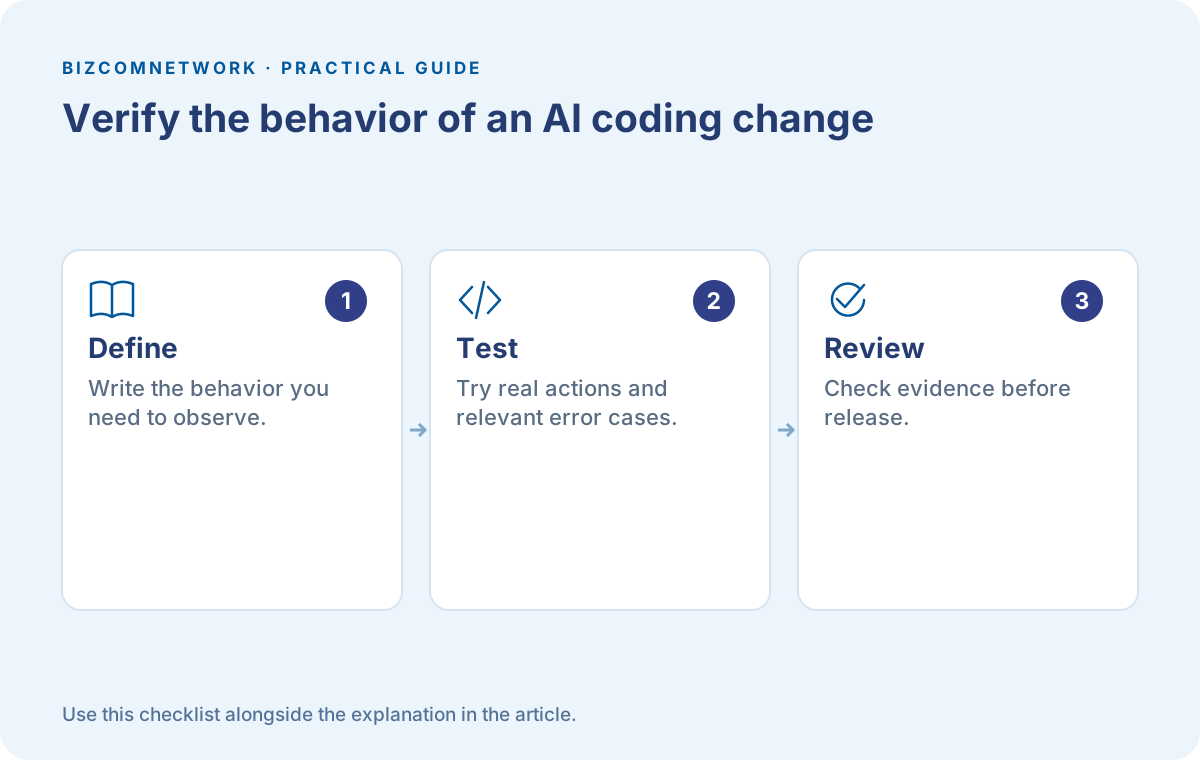
AI कह दे कि सब ठीक है, इससे form का database में save होना साबित नहीं होता। अपनी जाँच का concrete result रखें: request complete हुई, expected record बना और confirmation सही दिखा। Sensitive values को verification notes में copy करने की जरूरत नहीं।
किसी test के fail होने पर केवल उसकी wording बदलकर pass न दिखाएं। पहले actual cause समझें। Requirement गलत थी तो उसे स्पष्ट करें; implementation गलत है तो behavior ठीक करें। अपने confidence को evidence से जोड़ें।
Publish से पहले Change का आकार देखें
छोटे task में बहुत सारी unrelated files बदल गई हों तो review करें कि ऐसा क्यों हुआ। कुछ बदलाव आवश्यक हो सकते हैं, लेकिन कारण समझ आना चाहिए। पुरानी settings और unrelated pages अनजाने में बदल गए हों तो उन्हें ठीक करें।
Rollback या पिछली working copy तक लौटने का तरीका रखें। Release के बाद sample user journey फिर चलाएं। Local setup में काम करना उपयोगी evidence है, लेकिन hosting का runtime और configuration अलग हों तो वहाँ भी जरूरी checks करें।
अपनी टीम के लिए छोटा Handoff लिखें
काम पूरा होने पर क्या बदला, कैसे verify किया और कौन-सी limitation बाकी है, तीन बातें लिखें। Long technical essay जरूरी नहीं। अगला व्यक्ति केवल code देखकर यह अनुमान न लगाए कि feature किस तरह काम करना चाहिए।
अगर आप business owner हैं तो developer से इसी practical evidence की माँग कर सकते हैं। कितनी lines बनीं उससे ज्यादा उपयोगी सवाल है कि customer का कौन-सा काम सही तरीके से पूरा हो रहा है। AI coding में speed तभी काम आती है जब final behavior भी स्पष्ट और भरोसेमंद हो।
Frequently Asked Questions
क्या Page खुल जाए तो Testing पूरी है?
नहीं। Relevant actions, saved data, error states और mobile flow भी जाँचें।
क्या यह किसी खास AI Tool की Guide है?
यह छोटे website projects के लिए general workflow है। Actual steps अपने framework और tool के अनुसार तय करें।
Business Owner को Developer से क्या माँगना चाहिए?
बदला हुआ behavior, relevant checks का result और बाकी limitations की छोटी स्पष्ट जानकारी माँगें।
Article at a glance
- Written by
- Aarav Sharma
- Published
- 16 Oct 2026
- Reading time
- 5 minutes
- Topic
- Information Technology
Read More Blogs

Top 10 Software Companies in Indore: अपने project के लिए सही team कैसे चुनें?
Indore की सबसे अधिक देखी गई software-company listings के साथ project selection guide। Discovery, milestones, testing, source-code handover और support पर practical सवाल।
Windows 11 26H2 Update: Install करने से पहले ये जरूरी बातें देखें
Windows 11 का नया 2026 Update दिख रहा है? Eligibility, backup, app compatibility और restart की तैयारी आसान हिन्दी में समझें।

GitHub पर अपना पहला Project कैसे रखें? Repository, README और Commit समझें
पहला project तैयार है, लेकिन GitHub पर क्या डालें? Repository बनाने, साफ README लिखने और secrets सुरक्षित रखने की शुरुआती guide पढ़ें।
Be the first to share your thoughts.
Comments 0