
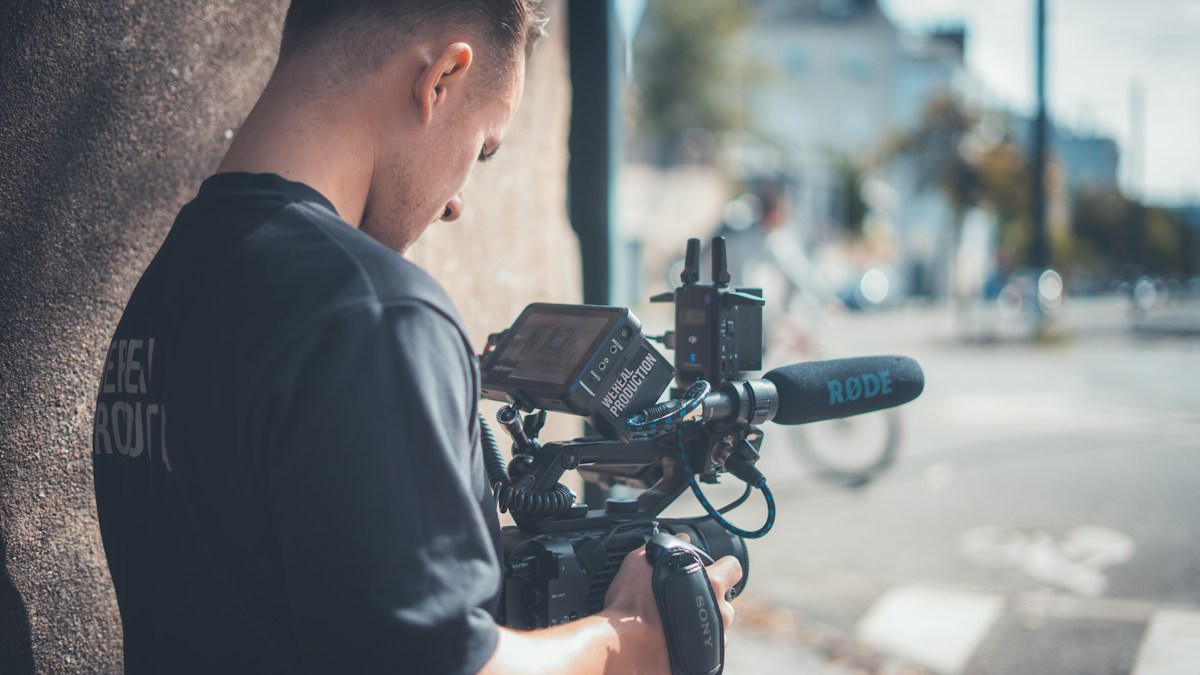
A real filming scene; illustrative photo, not YouTube Studio. Photo: Gabriel Weyand / Unsplash
YouTube AI Labels: Shorts और Videos में Disclosure कब देखें?
Social Media & Creator GrowthYouTube के AI labels और automatic detection को समझें। Realistic edits, creator review और viewer context के लिए आसान Hindi-English guide।
On this page
एक video में कोई व्यक्ति ऐसा बयान देता दिखा जो उसने कभी दिया ही नहीं। दूसरे video में animated character कहानी सुनाता है। दोनों में AI इस्तेमाल हो सकता है, लेकिन देखने वाले के लिए confusion एक जैसी नहीं होगी। इसी वजह से AI disclosure को केवल एक tick box समझना अधूरा है।
YouTube ने 27 मई 2026 के update में meaningful और photorealistic AI content के labels को अधिक दिखाई देने वाली जगह पर लाने की जानकारी दी। Long videos के लिए player के नीचे और Shorts में video overlay का उल्लेख है। Company ने significant photorealistic AI use की automatic detection तथा कुछ मामलों में creator review के विकल्प भी बताए। यह उस announcement को समझने वाली guide है, आज की नई launch का दावा नहीं।
पहले तय करें कि Viewer क्या समझेगा
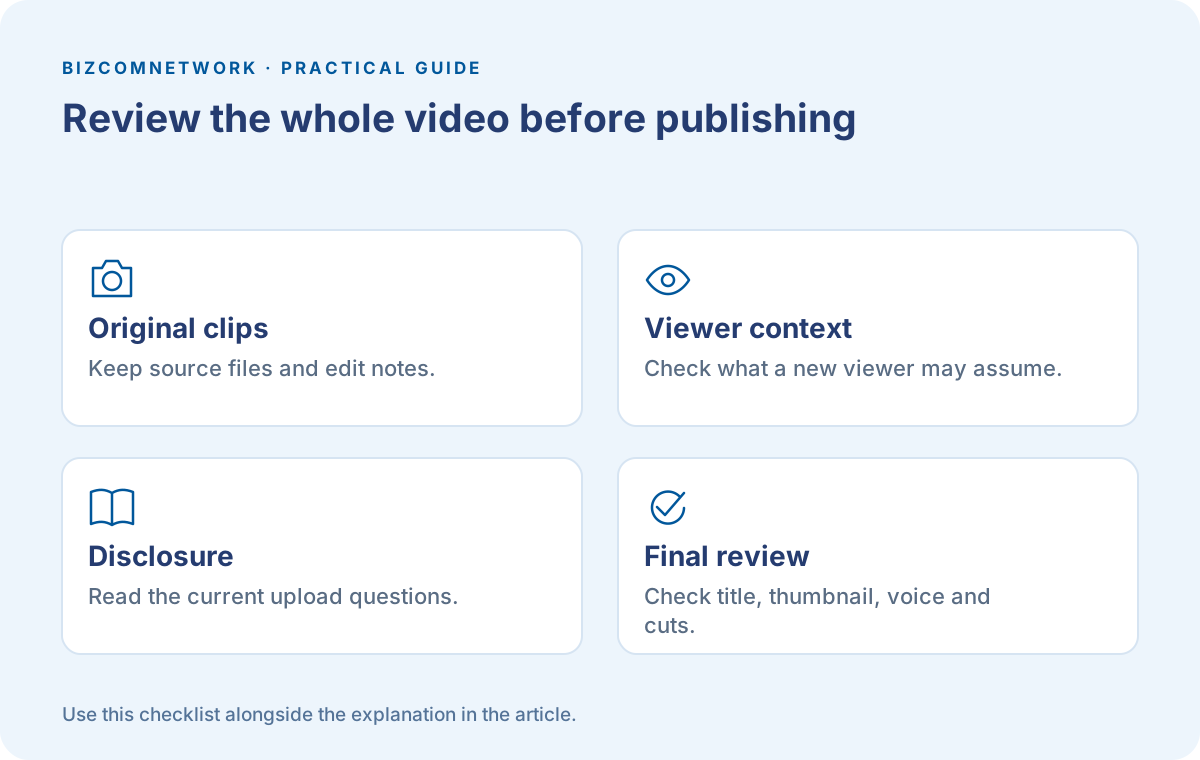
अपने video को किसी नए viewer की नजर से देखें। क्या वह समझ सकता है कि दृश्य fictional है? क्या edited voice किसी real person की लग रही है? क्या location या घटना को ऐसा दिखाया गया है जैसे camera ने सच में record किया हो? ये सवाल disclosure समझने की अच्छी शुरुआत हैं।
उदाहरण के लिए historical घटना पर cartoon explanation और किसी real public figure का fabricated interview अलग situations हैं। Editing का उद्देश्य तथा realistic appearance दोनों देखें। यह comparison हमारी practical explanation है; exact policy decision के लिए current YouTube guidance पढ़ें।
अपनी Editing का छोटा Record रखें
Project folder में original clips, used assets और significant edits का note रखें। AI voice, generated visual या altered scene इस्तेमाल हुआ तो उसे याद के भरोसे न छोड़ें। Team में editor और uploader अलग हों तो final upload करने वाले को यह जानकारी मिले।
इस record का उद्देश्य केवल किसी dispute का जवाब देना नहीं। इससे आपकी अपनी review आसान होती है: कौन-सा shot actual recording है और कौन-सा illustration? Thumbnail को देखकर गलत expectation बनने का risk है तो title तथा caption भी सुधारें।
Upload के समय जानकारी पूरी दें
YouTube की current upload screen में relevant disclosure questions ध्यान से पढ़ें। Automatic label की सुविधा को अपनी जिम्मेदारी छोड़ने का कारण न बनाएं। System के detect करने की प्रतीक्षा करने के बजाय actual editing के अनुसार सही information दें।
आप पहले से published video की review कर रहे हैं तो उसकी description और context भी देखें। किसी real person के शब्द बदल गए हों तो केवल description में एक अस्पष्ट line जोड़ना viewer confusion का अच्छा समाधान नहीं है। Video का पूरा presentation सचाई के अनुरूप होना चाहिए।
AI Label और Monetization अलग बातें हैं
YouTube की announcement साफ कहती है कि disclosure label अकेले recommendation या earning eligibility को नहीं बदलता। इसका मतलब हर AI video automatically monetized होगा, ऐसा नहीं है। बाकी content और programme requirements की review अलग रहती है।
इसलिए अपने channel की planning में दो सवाल अलग रखें। पहला, viewer को editing का सही context मिला? दूसरा, video का original और उपयोगी योगदान क्या है? किसी और का clip लेकर आवाज बदल देना अपने आप में पूरी content strategy नहीं बनता।
गलत Label लगे तो क्या देखें?
अगर आपको लगता है कि content गलत identify हुआ है तो YouTube Studio के वर्तमान disclosure options और help guidance देखें। YouTube ने कुछ cases में creator को status update करने का विकल्प बताया है, जबकि अपने AI tools और पूरी तरह generated content की metadata जैसे कुछ cases में disclosure permanent रह सकता है।
बिना video की actual history देखे label हटाने का प्रयास न करें। अपने project files और इस्तेमाल किए गए tools को जाँचें। किसी जरूरी issue को समझाते समय specific examples और original files काम आ सकते हैं; सामान्य शिकायत से context स्पष्ट नहीं होता।
Viewer को Label के बाद भी Context चाहिए
Label देखकर इतना पता चल सकता है कि कुछ AI use हुआ है। उससे हर claim की truth, हर source की quality या creator की expertise साबित नहीं होती। किसी product demonstration में original specification और demonstration की conditions देखें।
Realistic clip से कोई बड़ा claim निकल रहा हो तो original announcement या trusted source तक जाएं। Screenshot share करते समय date और context भी रखें। किसी छोटे cut से निकला निष्कर्ष पूरी recording में अलग हो सकता है।
अगला Video बनाते समय क्या बदलें?
Script में पहले तय करें कि कौन-सा visual समझाने के लिए है। जहाँ relevant हो, उसे साफ illustration की तरह पेश करें। Real person की fabricated quote या invented results के बजाय अपना example और verified जानकारी दें।
Publish से पहले title, thumbnail, voice और final cuts एक साथ review करें। कई बार अकेला shot नहीं, पूरी packaging misleading लगती है। साफ communication से viewer को मदद मिलती है और आपकी team को अगले project के लिए बेहतर process मिलता है।
Frequently Asked Questions
क्या AI Label लगने से Earning बंद हो जाती है?
YouTube के अनुसार label अकेले earning eligibility नहीं बदलता। बाकी programme और content requirements अलग जाँचें।
क्या Automatic Detection होने पर Manual Disclosure जरूरी नहीं?
YouTube creator disclosure की requirement भी बताता है। अपनी actual editing के अनुसार current upload questions का जवाब दें।
क्या Label होने से Video की सभी बातें सही हैं?
नहीं। Claims, original context और sources की जाँच अलग होती है। Label को fact-check का प्रमाण न मानें।
Article at a glance
- Written by
- Kavya Joshi
- Published
- 14 Oct 2026
- Reading time
- 5 minutes
- Topic
- Social Media & Creator Growth
Read More Blogs
YouTube Title और Thumbnail A/B Test: Result को कैसे समझें?
YouTube के native A/B test में title और thumbnail की सही तुलना सीखें। Watch time, inconclusive results और honest creative options की practical guide।
YouTube Live Practice Mode: पहली Live से पहले क्या Rehearse करें?
YouTube mobile Live Practice Mode में setup और बोलने की practice समझें। Camera, audio, opening और public Go Live से पहले review की Hindi-English guide।
Lyria AI Music: Reels और Videos के लिए अच्छा Music Brief कैसे लिखें
Lyria 3.5 update के साथ AI music की practical guide: instrumental brief, narration के लिए जगह, versions की तुलना और publish से पहले usage conditions।
Be the first to share your thoughts.
Comments 0