

A real planning workspace; illustrative photo, not a WhatsApp business testimonial. Photo: Vitaly Gariev / Unsplash
WhatsApp Business AI: छोटे Business में Replies कैसे तैयार करें?
Local Business GrowthWhatsApp Business AI के लिए सही catalogue, customer replies और owner handover कैसे तैयार करें? India के छोटे businesses के लिए practical Hindi-English guide।
On this page
दुकान बंद होने के बाद customer का message आया: यह product available है, delivery कब होगी और colour कौन-से हैं? सुबह तक reply नहीं गया तो वह दूसरी जगह पूछ सकता है। दूसरी तरफ बिना stock जाँचे automatic हाँ कहना भी गलत होगा। छोटे business में fast reply और सही reply, दोनों की जरूरत होती है।
Meta ने मई 2026 में India के eligible businesses के लिए WhatsApp Business app में Business AI की घोषणा की। Official जानकारी के अनुसार इसे business की अपनी information से तैयार किया जा सकता है और owner बातचीत में जरूरत पड़ने पर खुद शामिल हो सकता है। Eligibility अपने account में जाँचें; किसी सामान्य WhatsApp account में वही option होना जरूरी नहीं।
AI से पहले Catalogue साफ करें
यदि catalogue में पुरानी कीमत है तो उसका इस्तेमाल करने वाला tool भी गलत बात दोहरा सकता है। Product name, variant, size, availability और actual price सही करें। जिस colour का stock नहीं है उसे केवल सुंदर photo होने के कारण available न लिखें।
मान लीजिए आप personalised gifts बेचते हैं। ग्राहक को plain mug और name-print mug का फर्क, minimum preparation time और order देने के लिए आवश्यक जानकारी समझनी चाहिए। AI को customer से कौन-सी details पूछनी हैं, यह तभी साफ होगा जब business information साफ होगी।
पाँच सामान्य सवालों के सही जवाब लिखें
अपने पिछले messages से सबसे अधिक पूछे गए सवाल चुनें। Delivery area, payment process, working hours, customised order और return की conditions अलग-अलग लिखें। जवाब छोटा हो, लेकिन उसमें वह जरूरी condition गायब न हो जिससे customer का निर्णय बदलता है।
उदाहरण के लिए आज भेज देंगे की जगह यह समझाएं कि stock और final confirmation के बाद dispatch date बताई जाएगी। इस तरह का wording आपके actual process के अनुसार होना चाहिए। सिर्फ polished लगने के लिए कोई service या promise जोड़ना गलत अपेक्षा बनाता है।
Eligible Option मिले तो Setup समझें
Meta की announcement में eligible users के लिए Tools tab के Your Business AI विकल्प से guided setup बताया गया है। अपने current app की instructions पढ़ें क्योंकि interface और availability बदल सकते हैं। Feature नहीं मिलता तो किसी अनजान व्यक्ति को login या verification code देकर उसे चालू कराने की कोशिश न करें।
Business की authorised जानकारी ही जोड़ें। किसी customer की personal details को sample FAQs बनाने के लिए सार्वजनिक document में डालना जरूरी नहीं। जब उदाहरण की जरूरत हो तो पहचान हटाकर या fictional sample से instruction समझाया जा सकता है।
Owner को कब बातचीत संभालनी है?
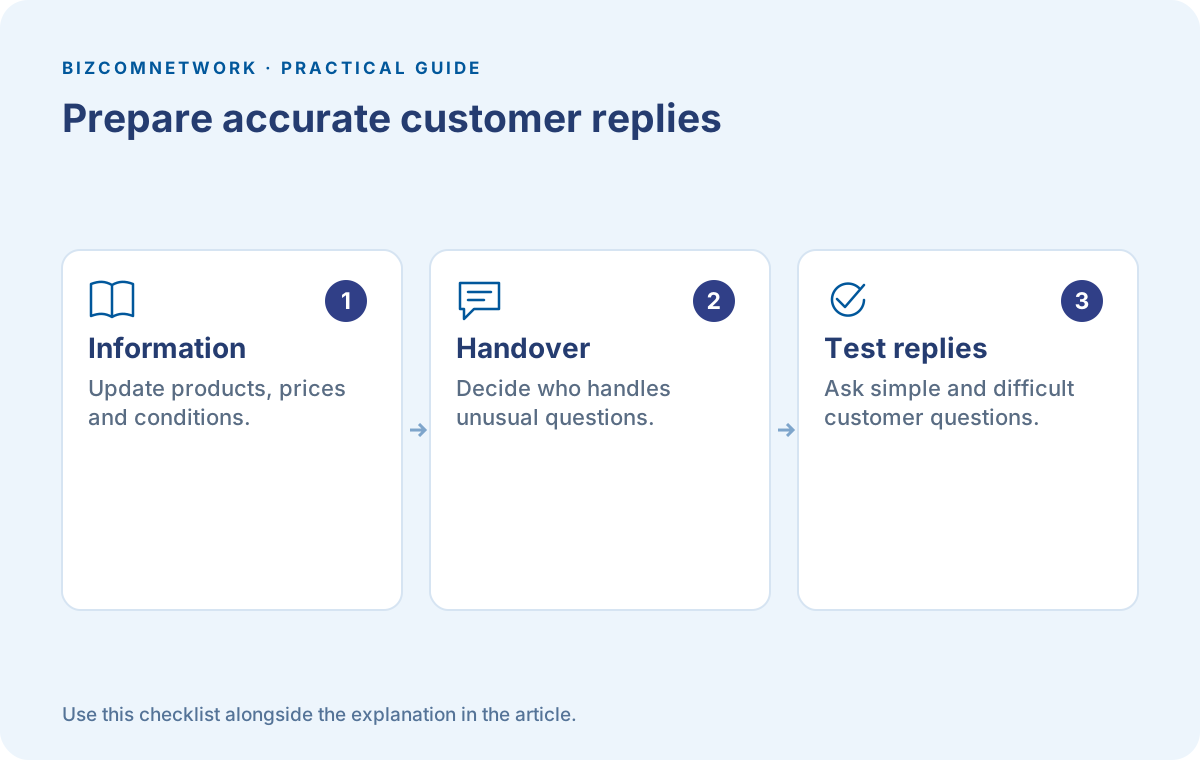
ऐसी स्थितियों की list बनाएं जिनमें आपकी अपनी review जरूरी है। Complaint, unusual quantity, time-sensitive delivery और personalised requirement इसके उदाहरण हो सकते हैं। Staff को पता होना चाहिए कि किस message का जवाब सीधे देना है और किसे owner तक पहुँचाना है।
AI और staff की भाषा में बहुत फर्क हो तो customer को confusion होगा। छोटे reply, साफ सवाल और actual process रखें। मैं जाँचकर बताता हूँ तब लिखें जब सच में कोई व्यक्ति वह जाँच करेगा। Handover केवल शब्द नहीं, आपकी team की जिम्मेदारी है।
Launch से पहले Customer बनकर पूछें
अलग test conversation में उपलब्ध product, unavailable variant, दूर की delivery और unclear request पूछकर देखें। Reply में कौन-सी जानकारी छूट रही है, उसे note करें। किसी friend के अच्छे अनुभव से पूरे business का setup सही मान लेना पर्याप्त नहीं।
एक मुश्किल सवाल भी दें: मुझे वही चाहिए जो photo में है, लेकिन कल सुबह पहुँच जाना चाहिए। अच्छे reply को design, stock, location और timing की missing information पहचाननी चाहिए। बिना confirmation delivery promise देना आपके लिए बाद की समस्या बनेगा।
Results को केवल Replies से न मापें
पहले कुछ दिन यह देखें कि कितने सवाल स्पष्ट हुए, कितनी conversations staff तक आईं और कहाँ correction करनी पड़ी। Reply count बढ़ना अपने आप में sales बढ़ना नहीं है। ऐसा draft जो customer को गलत item तक पहुँचा दे, जल्दी आने के बावजूद उपयोगी नहीं होगा।
Offers या working hours बदलते समय अपने saved business information की review करें। किसी पुराने announcement में future payment feature का उल्लेख हो तो उसे अपने account में उपलब्ध current सुविधा मानकर customer को instructions न दें। Transaction से पहले current official app flow और अपनी process देखें।
Frequently Asked Questions
क्या Business AI सभी WhatsApp Users के लिए है?
Announcement WhatsApp Business app के eligible businesses के लिए है। अपना account और current eligibility देखें।
क्या Owner खुद Reply कर सकता है?
Meta की जानकारी में owner को conversation में शामिल होने और feature को adjust या बंद करने का नियंत्रण दिया गया है।
क्या AI से Sales बढ़ना तय है?
नहीं। सही जानकारी, actual availability, customer जरूरत और follow-up देखकर अपने business के परिणाम मापें।
Article at a glance
- Written by
- Rohan Mehta
- Published
- 14 Oct 2026
- Reading time
- 5 minutes
- Topic
- Local Business Growth
Read More Blogs
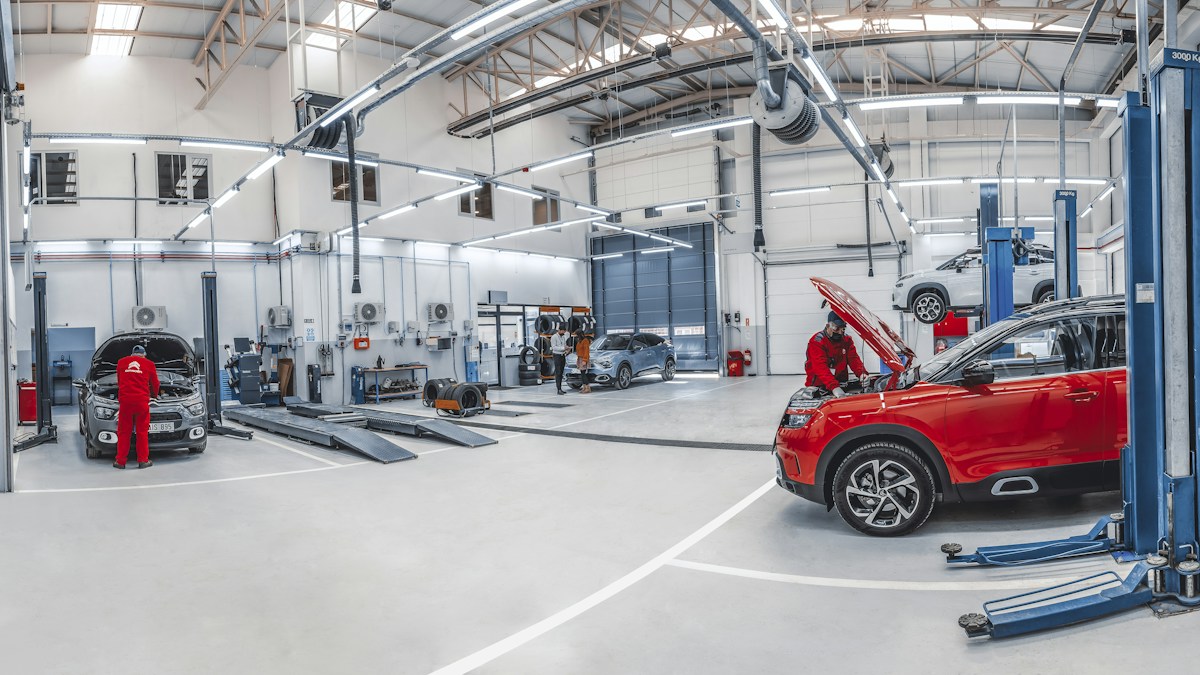
Car Workshops in Ahmadnagar: लंबी drive से पहले inspection कैसे plan करें?
Ahmadnagar के car workshops की listings और उपलब्ध phone numbers देखें। Trip से पहले inspection appointment, service history, concerns और job scope पर बातचीत की guide पढ़ें।

Washing Machine Repair in Akkarampalle: service visit की तैयारी कैसे करें?
Akkarampalle के washer और dryer repair businesses की listings व उपलब्ध contact numbers देखें। Model support, appointment, assessment और job completion की practical checklist समझें।

Refrigerator Repair in Ambattur: technician को call पर कौन-सी details दें?
Ambattur की refrigerator-repair listings और उपलब्ध phone numbers देखें। Model details, problem history, visit scope और repair follow-up की जानकारी देकर service booking आसान बनाएं।
Be the first to share your thoughts.
Comments 0