
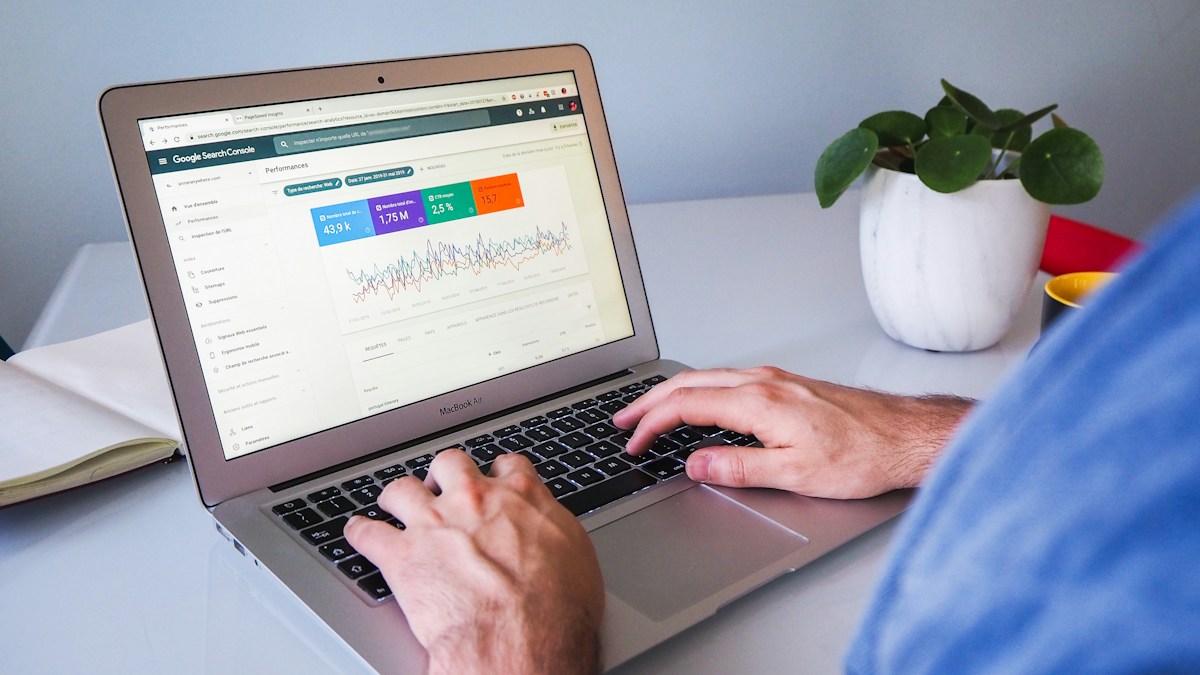
Representative Search Console workspace; not our website performance or a current-interface tutorial. Photo: Myriam Jessier / Unsplash
SEO क्या है? छोटे Business की Website के लिए Practical Guide
SEO & SearchSEO की शुरुआत keywords भरने से नहीं होती। Search intent, useful pages, indexing और AI search के दौर में जरूरी website checks आसान हिन्दी में समझें।
On this page
आपकी website बन गई, लेकिन Google से लोग नहीं आ रहे। किसी ने कहा हर paragraph में keyword डालो, किसी ने कहा ज्यादा pages बनाओ। शुरुआत में यह समझना उपयोगी है कि SEO का काम आपकी website को search engine और customer, दोनों के लिए समझने योग्य बनाना है। एक readable page जिसमें सही जानकारी मिले, आपकी तैयारी का अच्छा आधार है।
Google की SEO Starter Guide search engines को content समझने और लोगों को उपयोगी page पहचानने में मदद देने की बात करती है। किसी method से पहली ranking की guarantee नहीं है। छोटे business के लिए सही सवाल यह है कि customer किस जरूरत से search करता है और आपके page पर उसे उसका जवाब मिलता है या नहीं।
Customer की Search और आपकी Service को जोड़ें
मान लीजिए आप Jaipur में custom birthday cakes बनाते हैं। Customer cake design, price की शुरुआत, eggless options, delivery area और order देने का समय पूछ सकता है। इन सवालों की जानकारी हो तो service page पर साफ लिखें। केवल best cake shop जैसे शब्द कई बार दोहराने से वह जानकारी नहीं मिलती।
पहले अपने customers के पाँच repeated questions लिखें। फिर देखें कि कौन-से सवाल एक ही service page पर समझाए जा सकते हैं और किस विषय का अलग useful page चाहिए। केवल ज्यादा URLs बनाने के लिए वही description अलग city names के साथ copy करना उपयोगी strategy नहीं है। जिस जगह सेवा नहीं देते, उसका दावा भी न करें।
Page खोलते ही मुख्य बात समझ आए
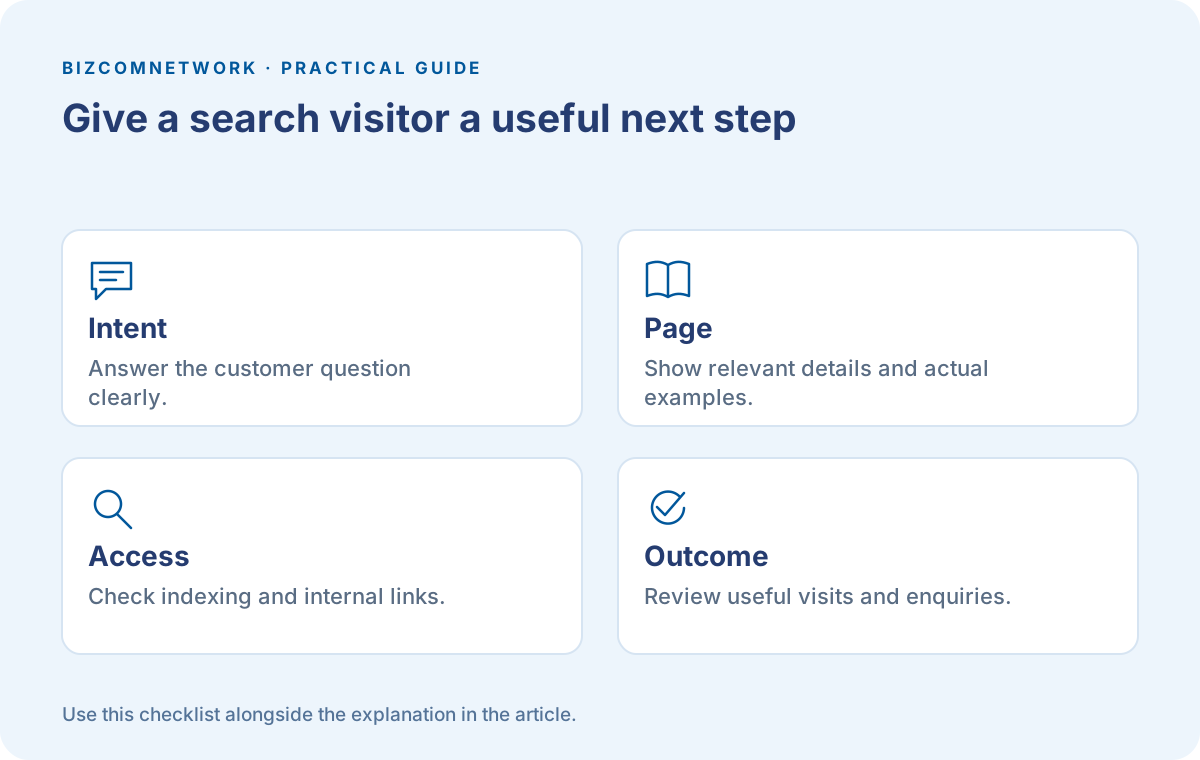
Title और मुख्य heading से service पहचान में आए। छोटे introduction के बाद options, process, area और enquiry का तरीका दें। Price fixed नहीं है तो कौन-सी बातों से बदलता है, यह समझाएं। अस्पष्ट contact button की जगह customer को पता हो कि वह order पूछ रहा है, quote ले रहा है या appointment माँग रहा है।
यह एक simple page audit है: कोई नया व्यक्ति पाँच सेकंड में आपका काम समझ सकता है? Phone पर text पढ़ने योग्य है? Images उसी business या product से संबंधित हैं? जरूरी information login के पीछे या ऐसे popup में तो नहीं छिपी जिससे page पढ़ना मुश्किल हो? इन प्रश्नों पर काम करने से customer experience साफ होता है।
Indexing की स्थिति अलग जाँचें
Google किसी page को खोजे, उसे index करे और relevant search में दिखाए—ये एक ही घटना नहीं हैं। Search Console में URL Inspection से page की स्थिति और उपलब्ध जानकारी देखें। Sitemap discovery में मदद कर सकता है, लेकिन sitemap submit करने से हर URL index होने का वादा नहीं मिलता।
यदि महत्वपूर्ण page नहीं दिख रहा तो developer के साथ उसके response, accidental noindex, canonical और navigation links की जाँच करें। पहले कारण समझें। बार-बार index request भेजना missing content या broken page ठीक नहीं करता। Website बदलते समय पुराने useful links को बिना योजना तोड़ना भी customers के लिए परेशानी बन सकता है।
Internal Links Customer को अगला रास्ता दें
Cake design वाले blog से संबंधित cake service page तक स्पष्ट link उपयोगी हो सकता है। Link text में यह बताएं कि अगला page किस काम का है। हर paragraph में unrelated promotional links भरने से पढ़ना कठिन हो सकता है। Categories और page names भी customer की भाषा में रखें।
Photo के साथ relevant alt text रखें, ताकि image का उद्देश्य समझ आए। बिना जरूरत एक ही keyword हर image में न भरें। Original work दिखा रहे हैं तो caption में जरूरी context दें। किसी दूसरी दुकान की तस्वीर को अपना completed order बताना website के भरोसे को नुकसान पहुँचा सकता है।
AI Overviews के लिए क्या अलग करना होगा?
Google की AI features guidance कहती है कि AI Overviews और AI Mode के लिए foundational SEO practices relevant रहती हैं। कोई अतिरिक्त special schema या AI text file जरूरी नहीं बताई गई है। Supporting link बनने के लिए page indexed और snippet के लिए eligible होना चाहिए; requirements पूरी होने पर भी appearance की guarantee नहीं है।
इसलिए AI SEO के नाम पर अस्पष्ट shortcuts खरीदने से पहले देखें कि आपकी website का basic काम सही है। Actual expertise, स्पष्ट answers और updated information रखें। Structured data जोड़ते हैं तो visible page से मेल खाए। Website पर reviews नहीं हैं तो markup में invented ratings डालना उचित नहीं है।
Results को Enquiries के साथ पढ़ें
Search Console में available queries, impressions और clicks से शुरुआत करें। किस page पर लोग आते हैं और उसके बाद क्या करते हैं, यह authorised analytics या enquiry records से समझ सकते हैं। Ranking के एक screenshot से पूरे business का result तय करना अधूरा होगा।
उदाहरण के लिए informational blog पर बहुत visits हैं, लेकिन service page पर contact का तरीका साफ नहीं। ऐसे में हर नया blog लिखने से पहले service page सुधारना उपयोगी हो सकता है। Change की तारीख और क्या बदला, यह लिखें। पर्याप्त observation के बाद अगला सुधार चुनें; निश्चित दिनों में ranking आने की उम्मीद न बेचें।
Frequently Asked Questions
क्या SEO में Keywords कई बार लिखना जरूरी है?
विषय को natural और स्पष्ट भाषा में समझाएं। बेवजह repetition ग्राहक के सवालों का जवाब नहीं देता।
क्या Sitemap में URL आने से Indexing पक्की है?
नहीं। Sitemap discovery में मदद करता है। Indexing और Search appearance अलग processes हैं।
क्या AI Search के लिए नया Special Schema जरूरी है?
Google की official guidance अतिरिक्त special schema नहीं मांगती। Existing SEO fundamentals और सही visible content पर ध्यान दें।
Article at a glance
- Written by
- Bizcomnetwork
- Published
- 12 Oct 2026
- Reading time
- 6 minutes
- Topic
- SEO & Search
Read More Blogs

SMM क्या है? छोटे Business के लिए 30 दिन का Social Media Plan
Social Media Marketing में सिर्फ posts नहीं, audience, offer, enquiry और measurement भी जरूरी हैं। Practical content calendar और review plan हिन्दी में समझें।
SMO क्या है? Social Media Profile से Customer को सही जानकारी कैसे दें
Social Media Optimization में bio, contact links, business details और useful posts कैसे सुधारें? छोटे brands के लिए practical profile audit पढ़ें।
Google Ads Search Campaign: Budget खर्च करने से पहले ये Checks करें
Google Ads में keywords, location, conversion tracking और average daily budget समझें। छोटे service business के लिए Search campaign की practical guide।
Be the first to share your thoughts.
Comments 0