
Printing Shops in Indore: visiting cards और business stationery का order कैसे दें?
Local Business GrowthIndore की printing shops और contacts देखें। Visiting cards, brochures और stationery के लिए artwork, paper sample, proof approval और delivery की checklist।
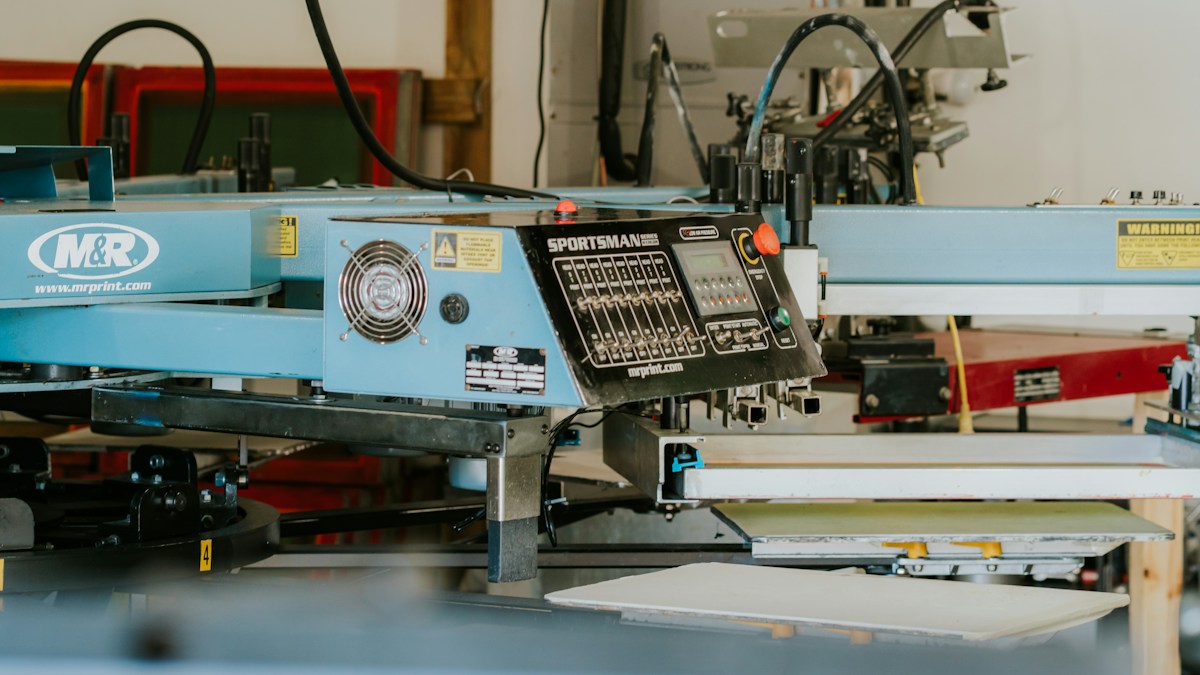
Representative screen-printing workshop photograph; machinery and services at the listed Indore printers may differ. Photo: Anthony Roberts / Unsplash
On this page
नए business की visiting cards छपकर आईं, लेकिन phone number में एक अंक गलत है। Design अच्छा होने के बावजूद पूरा batch फिर से बनवाना पड़ सकता है। Printing order में सही file भेजना शुरुआत है; final details का approval और production की specification उतनी ही जरूरी हैं।
Indore में printing shop को enquiry भेजने से पहले items अलग लिखें: visiting cards, letterheads, brochures, stickers या किसी अन्य printed material की जरूरत है। हर item की quantity और इस्तेमाल की जगह बताएं। एक generic rate पूछने से अक्सर ऐसा quote मिलता है जिसकी specification बाद में बदलनी पड़ती है।
Indore की printing shops और digital printers

Baheti Print World
Print shop · Indore
LG-26, Navneet Plaza, 5/2, Greater Kailash Road, Old Palasia, Indore, Madhya Pradesh 452018
Contact: 098269 78885

Print Karao
Print shop · Indore
102, Curewell Hospital Rd, 6/1, New Palasia, Indore, Madhya Pradesh 452001
Contact: 084351 11188

H A Gulamali
Print shop · Indore
47 hemilton road gopi tower, krishnapura, Indore, Madhya Pradesh 452007
Contact: 098931 93526

Print Plus
Print shop · Indore
B-36, Alankar Point, 4-A, Gita Bhawan Rd, Rajgarh Kothi, Indore, Madhya Pradesh 452001
Contact: 099779 00198

Onward Digital Art
Digital printing service · Indore
133/1, Sector A, Gurunanak Timber Market, Indore, Madhya Pradesh 452002
Contact: 098262 11112

Print And Design
Digital printing service · Indore
Surbhi Palace, 22-23, MR 10 Rd, Asha Nagar, Indore, Madhya Pradesh 452016
Contact: 098275 23391

Ashirwad Prints
Print shop · Indore
13, Near district court, Sikh Mohalla, Indore, Madhya Pradesh 452007
Contact: 089629 18984
MG Commercials | Best Digital Printing Services in Indore
Digital printing service · Indore
21, Pologround Industrial Estate, Malti Vanaspati, Indore, Madhya Pradesh 452015

Famous Printers | printing shop
Print shop · Indore
infront of maa ambe mandir, 131, juna pitha, agarbattiwala complex, Indore, Madhya Pradesh 452002
Contact: 098276 60640

ISHWARI PRINTERS
Print shop · Indore
Sri Vinayak township, 11, Devguradiya, Indore, Madhya Pradesh 452016
इन businesses से relevant printing service और current availability पूछ सकते हैं। Listing से हर material, printing method या same-day delivery उपलब्ध होना तय नहीं है। अपने item के लिए suitability सीधे confirm करें।
एक छोटी order sheet बनाएं
हर item का finished size, quantity, single या double-sided print और colour requirement अलग लिखें। Brochure में pages और fold की जरूरत हो तो उसका reference दें। Sticker के लिए इस्तेमाल की surface तथा indoor या outdoor use बताएं और suitable material printer से पूछें।
पुराना sample पसंद है तो साथ ले जाएं। केवल “इसी जैसी quality” कहने के बजाय paper, finish और dimensions पर बातचीत करें। Sample का actual material अलग हो तो printer से उसकी पहचान और उपलब्ध विकल्प समझें।
Design और printing की जिम्मेदारी अलग रखें
आप print-ready artwork देंगे या shop design भी तैयार करेगी? Design fee, revisions और editable files की delivery की terms पहले पूछें। Existing logo या fonts में कोई कमी हो तो production से पहले बताने को कहें।
Printed phone number, address और website link final approved copy से मिलाएं। QR code हो तो proof में अपना phone इस्तेमाल करके destination check करें। Company name और contact details अलग लोगों ने भेजी हों तो एक final version बनाकर approve करें।
Paper sample पर निर्णय लें
Paper की thickness, texture और finish को जहां संभव हो physical sample पर देखें। Matte, gloss या दूसरी offered finishing का असर अलग दिख सकता है। Desktop screen पर दिखाई देने वाला colour print में बिल्कुल वैसा ही होगा, यह अपने आप न मानें।
Brand colour बहुत जरूरी हो तो printer को बताएं और proof या sample approval का विकल्प पूछें। Sample की cost, production से उसका संबंध और acceptable variation समझ लें। सिर्फ GSM सुनकर overall paper feel और finish का पूरा अंदाजा नहीं मिलता।
Proof को जल्दी में approve न करें
एक व्यक्ति contact details पढ़े और दूसरा layout, alignment तथा missing text देखे तो छोटी गलतियां पकड़ना आसान हो सकता है। File revision का नाम और approval date अपने record में रखें। Printer को साफ बताएं कि किस version को production के लिए मंजूरी मिली है।
- Artwork किस file format और specification में चाहिए?
- Final proof digital होगा या physical sample मिल सकता है?
- Cutting, folding या finishing में क्या included है?
- Quantity में allowed variation की कोई term है?
- Approved file बदलने पर cost और delivery पर क्या असर होगा?
Quote में final deliverable देखें
Paper, print, design, finishing, applicable taxes और delivery का breakup लें। अलग shops के quotes उसी specification पर compare करें। छोटी quantity और bulk order के unit price में फर्क हो तो total usable quantity के साथ देखें।
Advance और balance payment का stage लिखवाएं। Deadline किसी event से जुड़ी है तो ready-for-collection और delivered-by date अलग confirm करें। कोई extra finishing outsourced हो तो उसका timeline पूछना भी उपयोगी रहता है।
Delivery पर sample और count मिलाएं
Print मिलने पर approved proof के साथ कुछ pieces check करें। Text, cutting, folding और agreed finishing देखें। Packaging के बाहर item और quantity लिखी हो तो stock रखना आसान होता है।
Wrong specification या visible defects की reporting process पहले जानें। अगली reprint के लिए approved artwork, material details और invoice साथ रखें। एक स्पष्ट order sheet से repeat printing में हर बार शुरुआत से समझाने की जरूरत कम होती है।
Frequently Asked Questions
क्या design fee printing में शामिल होती है?
Design, revisions और editable files की terms अलग confirm करें।
Visiting card approve करते समय क्या जांचें?
नाम, phone, address, website, QR destination और final layout मिलाएं।
Reprint के लिए क्या संभालें?
Approved file version, paper specification, finish और पिछला invoice रखें।
Article at a glance
- Written by
- Rohan Mehta
- Published
- 21 Oct 2026
- Reading time
- 5 minutes
- Topic
- Local Business Growth
Read More Blogs
Plumbers in Delhi: leakage या fitting repair के लिए visit कैसे book करें?
Delhi के plumbers और contacts देखें। Leakage enquiry, inspection, material charges, work scope और repair handover पर घर की service-booking checklist।
Driving Schools in Indore: beginner course book करने से पहले क्या पूछें?
Indore की driving schools और contact numbers देखें। Instructor, lesson duration, training vehicle, practice schedule और course charges पर enquiry guide।
Photography Studios in Delhi: professional portrait के लिए shoot brief कैसे बनाएं?
Delhi के photography studios और contacts देखें। Professional portrait के लिए background, outfits, final photos, editing और delivery की booking checklist।
Be the first to share your thoughts.
Comments 0