
Computer Repair in Delhi: laptop देने से पहले files और repair scope कैसे संभालें?
Information TechnologyDelhi की computer-repair services और contacts देखें। Device condition, file backup, access requirements, estimate approval और repair handover की तैयारी करें।
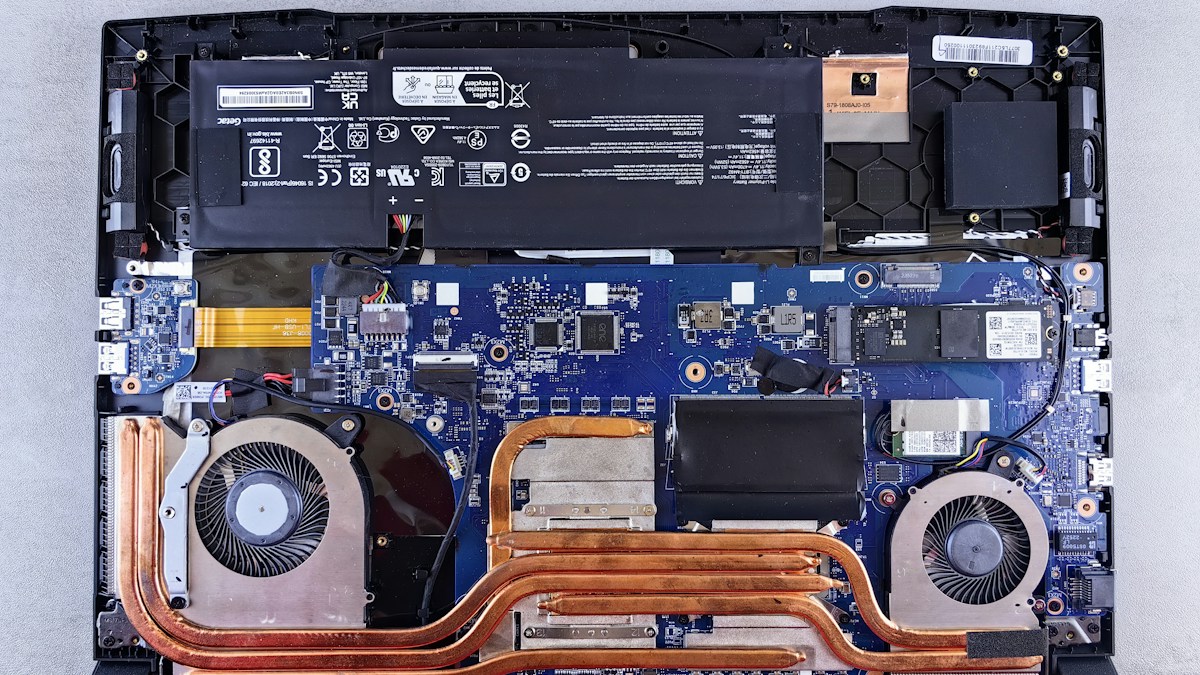
Representative hardware photograph; not work attributed to a listed Delhi repair provider. Photo: Andrey Matveev / Unsplash
On this page
Laptop ठीक करवाना है, लेकिन उसमें काम की files और signed-in accounts भी हैं। Repair की जरूरत के साथ device पर मौजूद data की तैयारी अलग से करनी पड़ती है। Technician को device देने से पहले पूछें कि inspection में किस तरह की access चाहिए होगी।
Delhi में computer repair book करते समय brand, model और दिखाई दे रही problem बताएं। Device start नहीं हो रहा है, slow है या कोई particular function नहीं चल रहा—जितनी साफ observation दे सकें, दें। खुद device खोलकर diagnosis करने की जरूरत नहीं है।
Delhi की computer-repair services और available contacts

N-Tech Naresh Laptop Repair & Training Center
Computer repair service · Delhi
96, Siddhartha Building, Office Address Ground floor G-6A, Nehru Place, New Delhi, Delhi 110019
Contact: 097111 02627

Universe Infotech
Computer repair service · Delhi
18A/11 shop no 2 near Shidipura Police Choki, Dori Walan, Karol Bagh, New Delhi, Delhi 110005
Contact: 096505 14911

Computer Repair Wala
Computer repair service · Delhi
G61, Arya Samaj Rd, Block G, Uttam Nagar, Delhi, 110059
Contact: 082855 38146

Pin2Pc
Computer repair service · Delhi
G-61, Aggarwal Central Plaza, D.C.Chowk, Shaheed Colonel Guruveer Singh Sarna Marg, Rajapur, Sector 9, Rohini, New Delhi
Contact: 099685 20730

Regenersis India Private Limited (A CTDI Company)
Computer repair service · Delhi
Unit No. 7, 10, 10A upper ground floor, Devika Tower, Nehru Place, New Delhi, Delhi 110019

Any Computer Solution
Computer repair service · Delhi
shop no. 67, gali no.9, near by om jewellers, Block B 7, Arjun Nagar, Safdarjung Enclave, New Delhi, Delhi 110029
Contact: 078380 47851

Cis Laptop/Cctv Repair Centre
Computer repair service · Delhi
Shop No. 241 ,Second floor, Vardhman star citi mall, Palam Extension, Sector 7 Dwarka, Dwarka, New Delhi, Delhi, 110077
Contact: 098105 78431

AKP It Solutions
Computer repair service · Delhi
Plot no 31 press enclave, Balaji Rd, near sawariya tiles, Vikas Nagar, New Delhi, Delhi 110059
Contact: 095551 30045

M.K Computer Solutions - Laptop Repairing
Computer repair service · Delhi
139/1 Jwala Nagar Chowk, near Hira Lal Sweets Shop, Shahdara, Delhi, 110032
Contact: 070110 99956

KANHAIYA IT SOLUTIONS CHIP LEVEL LAPTOP/DESKTOP REPAIRING SHOP
Computer repair service · Delhi
Plot no-22, Pocket 7, Sector 2, Rohini, Delhi, 110085
Contact: 097169 99980
Provider से अपने model और issue पर service की availability पूछें। हर shop data recovery, board-level repair और warranty work सभी करती हो, यह मानकर न चलें। Brand coverage लागू है तो relevant official support route और terms पहले देखें।
Backup और access पर पहले बात करें
Device accessible है तो अपनी organisation या personal backup process के अनुसार जरूरी files की सुरक्षित copy रखें। Device में समस्या के कारण backup संभव नहीं है तो technician को साफ बताएं और data-related limitations समझें। Backup होना और recovery की guarantee होना अलग बातें हैं।
Personal accounts, sensitive files और required access पर provider से discussion करें। किसी organisation का laptop है तो उसकी IT policy के अनुसार authorised process अपनाएं। Passwords या account access देने की जरूरत पर specific सवाल पूछें; बिना समझे सभी accounts का access साझा न करें।
Device condition का receipt लें
Model, relevant identifier और visible condition handover record में देखें। Charger, adapter या bag छोड़ा है तो उसकी entry करवाएं। Existing marks या broken parts की जानकारी पहले दें।
Problem कब से दिख रही है, पहले कोई repair हुआ है या recent change के बाद शुरू हुई है, यह बताएं। Technician की findings को अपनी observation से मिलाकर समझें। किसी part का नाम सुनकर replacement पहले से approve करना जरूरी नहीं है।
Diagnosis और final estimate अलग समझें
- Inspection charge और repair approve न करने की terms क्या हैं?
- Proposed repair में data पर कोई असर पड़ सकता है?
- Format या software reinstall से पहले approval लिया जाएगा?
- Replacement part की condition और specification क्या होगी?
- Additional काम की जानकारी और updated quote कैसे मिलेगा?
Used, refurbished या दूसरे condition वाला replacement बताया जाए तो relevant terms लिखवाएं। Part support और labour support अलग हो सकते हैं। किसी paid software की जरूरत हो तो legitimate licence और खर्च की जानकारी समझें।
Delivery पर अपने जरूरी काम check करें
Provider से agreed repair का demonstration लें। अपनी reported problem पर क्या काम हुआ, समझें। Relevant functions और supplied accessories receipt से मिलाएं। कोई concern unresolved है तो उसे written follow-up में दर्ज करवाएं।
Invoice, repair reference और support contact संभालें। Device लौटने पर account access या organisation की security process में जो follow-up जरूरी हो, उसके अनुसार काम करें। केवल laptop चालू होने को सभी files और functions सही होने की पुष्टि न मानें।
Repair का अच्छा handover स्पष्ट होना चाहिए: क्या मिला, क्या काम हुआ और आगे किस बात का ध्यान रखना है। यह record भविष्य में उसी concern पर दोबारा बातचीत में मदद कर सकता है।
Frequently Asked Questions
क्या repair से पहले format जरूरी है?
Provider से specific कारण और alternatives पूछें। Data-impacting work से पहले स्पष्ट approval की प्रक्रिया रखें।
Device dead हो तो files वापस मिलेंगी?
स्थिति का assessment जरूरी है। Recovery को automatic या guaranteed न मानें।
Receipt में क्या होना चाहिए?
Device details, accessories, visible condition, recorded problem और inspection की agreed terms देखें।
Article at a glance
- Written by
- Aarav Sharma
- Published
- 19 Oct 2026
- Reading time
- 4 minutes
- Topic
- Information Technology
Read More Blogs
Reseller Hosting: Agency से website लेते समय handover में क्या माँगें?
Hosting support, domain ownership, backups और migration का scope स्पष्ट रखें। Agency-managed website के लिए practical client-handover checklist पढ़ें।
Business Email: Quotation भेजते समय पहचान और भरोसा कैसे स्पष्ट रखें?
Professional email केवल domain वाला address नहीं है। Sender identity, signatures, delivery checks और account handover की practical business checklist पढ़ें।
Node.js Hosting: Data-heavy business app के लिए किन बातों की जाँच करें?
Dashboard, imports और reports वाली app में hosting चुनते समय केवल RAM न देखें। Background jobs, database, monitoring और recovery के practical सवाल।
Be the first to share your thoughts.
Comments 0